TrueLang 사용 후기 – 합리적인 가격의 워드프레스 번역 플러그인

최근 제 웹사이트를 Polylang에서 TrueLang으로 교체했는데, 그 사용 후기를 공유하고자 합니다. 이 추천글로 어떠한 대가도 받지 않았습니다. 그저 소상공인도 부담 없이 사용할 수 있는 유용한 도구라고 생각해서 글을 씁니다.

합리적인 가격의 AI 번역

TrueLang을 사용하면 보유한 AI API나 무료 시작 크레딧이 포함된 TrueLang API를 이용할 수 있습니다. 선택 가능한 여러 모델이 있으며, 저의 경우 Google Gemini Flash 3.6이 특히 만족스럽게 작동했습니다.

가장 좋은 점이요? WooCommerce 쇼핑몰을 포함한 웹사이트 전체를 번역하는 데 언어당 1달러도 채 들지 않는다는 사실입니다.

물론 실제 비용은 웹사이트의 규모와 선택하는 모델에 따라 달라집니다.

게다가 $99 USD부터 시작하는 플러그인 자체 가격도 매우 합리적입니다. 평생 라이선스라는 점도 꼭 짚고 넘어가고 싶네요. 개인적으로 정기 구독 방식은 선호하지 않거든요.

유용한 도구와 유연성

TrueLang에는 번역 관리를 훨씬 쉽게 만들어 주는 몇 가지 기능이 있습니다:

  • TrueLang 에디터 및 페이지 번역: 웹사이트의 개별 부분을 수동으로 수정할 수 있습니다.
  • 공백 메우기(Fix Gaps): 아직 번역되지 않은 문자열을 찾아 번역합니다.
  • 번역 스타일: 중립적(Neutral) 스타일과 브랜드의 톤앤매너를 반영하는 문맥 맞춤형(Contextual) 스타일 중에서 선택할 수 있습니다. 저는 중립적 스타일을 사용 중인데 아주 만족스럽습니다.

Polylang에서 이전하기

Polylang에서의 데이터 이전은 더 이상 사용하지 않는 URL의 리디렉션을 포함해 자동으로 이루어졌습니다. 덕분에 수고를 훨씬 덜 수 있었죠.

제 웹사이트는 운영된 지 10년 정도 되었고 몇 가지 독특한 설정들이 있습니다. TrueLang의 개발자인 Theo는 제가 문제에 부딪힐 때마다 놀라울 정도로 큰 도움을 주었습니다.

무엇보다 저에게 가장 인상 깊었던 건 그의 고객 지원이었습니다. 그는 똑똑하고 친절하며 열정적일 뿐만 아니라, 진심을 다해 시간을 내어 도와줍니다.

결론

TrueLang은 제가 필요한 기능을 매우 합리적인 가격에 제공합니다. 제 웹사이트 특성상 100% 자동은 아니었지만, 거의 거기에 가까웠습니다. 문제가 생길 때마다 Theo가 즉시 도와주었죠. 저는 이미 TrueLang에 5/5점을 주고 싶으며, 지금도 매주 계속해서 발전하고 있습니다.

저는 이 추천글을 통해 어떠한 경제적 대가도 받지 않습니다. 단지 좋은 경험을 했고, 이렇게 유용한 도구를 만들고 헌신적으로 도와준 Theo가 충분히 인정받을 자격이 있다고 생각할 뿐입니다.

여기서 TrueLang을 확인해 보세요: https://truelang.io/
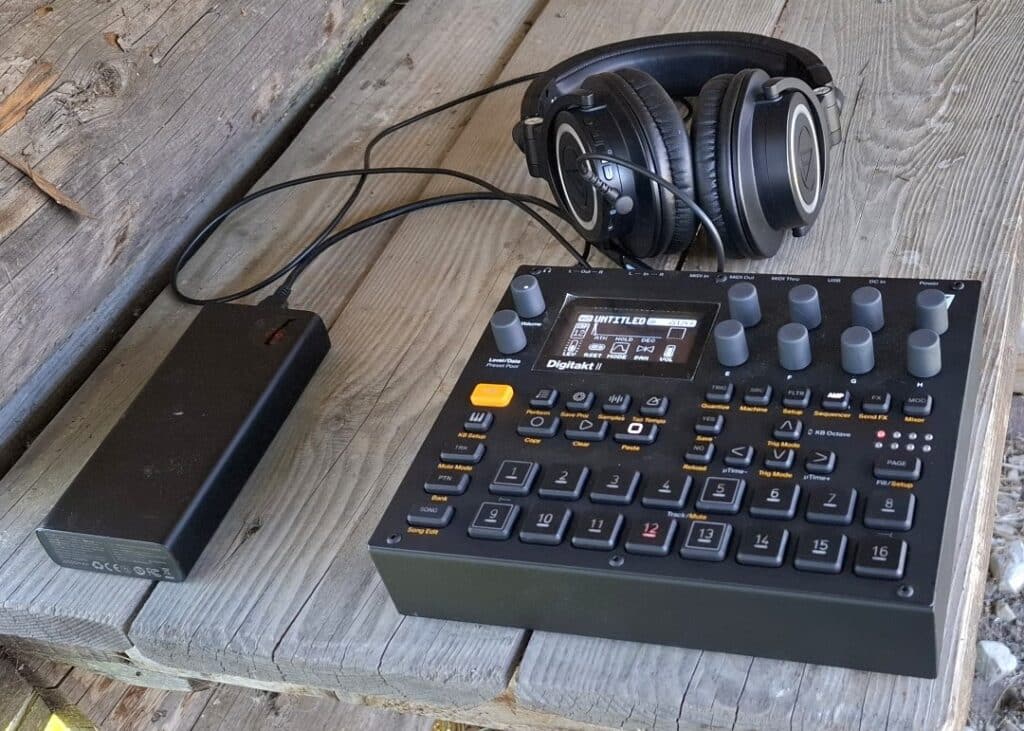
USB-C 보조배터리로 전자 디지탁트 II(Elektron Digitakt II)에 전원을 공급하는 방법

Manfred from Switzerland shared a photo of his portable Elektron Digitakt II setup, powered by a USB-C power bank using a Birdcord PD 12V power cable. This setup allows him to create music outside without the need for a mains outlet.

Elektron Digitakt II groovebox powered portably with a USB-C power bank and a Birdcord PD 12V
Manfred uses a Birdcord PD 12V to power his Elektron Digitakt II from a USB-C power bank during outdoor sessions.

Quick Facts: Elektron Digitakt II Mobile Setup

DeviceElektron Digitakt II
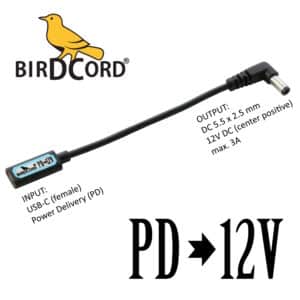
Supply voltage12 V DC
Current drawmax. 1 A
Power consumptionmax. 12 W
Connector5.5 x 2.5 mm
PolarityCenter positive
Power sourceUSB-C power bank*
Compatible power converterBirdcord PD 12V
StatusTested and verified

*Note: Requires a USB-C power bank with USB Power Delivery (PD) support and a 12V output profile. The power rating should be higher than the power consumption.

What You Need

Birdcord PD 12V – A compact USB-C power cable that requests 12 V output from a compatible USB-C power bank and delivers it to the Elektron Digitakt II. View product

USB-C Power Bank – A power bank that supports USB Power Delivery (PD) and a 12V output profile. A minimum rating of 24 W and 10,000 mAh is recommended. Recommended: INIU 65 W 20,000 mAh USB-C PD Power Bank

USB-C cable – To connect the power bank to the Birdcord PD 12V (usually included with the power bank). View product

How It Works

The Elektron Digitakt II requires a stable 12 V DC power supply. Since USB-C power banks don’t automatically provide the correct voltage, a Birdcord PD 12V is needed to communicate with the power bank and request the right output voltage. The power bank then provides 12V DC, allowing the Elektron Digitakt II to run directly from a portable battery.

Simply connect the Birdcord PD 12V to a compatible USB-C PD power bank and plug the DC connector into the Elektron Digitakt II. The setup works exactly like using the original power adapter, but gives you the freedom to perform anywhere.

Frequently Asked Questions (FAQ)

How long can the Elektron Digitakt II run on a USB-C power bank?

A 20,000 mAh USB-C power bank can typically power the Elektron Digitakt II for 8 hours of continuous use.

I already have a power bank. Will it work?

Yes, as long as it supports 12 V output. You can easily check this by looking at the technical specifications printed in small letters on your power bank. If you see an output listing like 12V=2A, 12V=3A (or anything similar), it is compatible and will work perfectly. If it only lists 5V, it is not compatible.

Can I power the Elektron Digitakt II directly from USB-C?

No. The Elektron Digitakt II requires 12 V DC power and cannot be powered directly from a standard USB-C output. A Birdcord PD 12V is required to request the correct voltage from a compatible USB-C power bank.

How to choose a USB-C power bank for the Elektron Digitakt II?

Choose a USB-C power bank with USB Power Delivery (PD) support and a 12 V output profile. Please note that not all USB PD power banks support 12 V output.

To check compatibility, look at the technical specifications of the power bank. The supported output voltages are usually listed as something like 5V=3A, 9V=3A, 12V=2.25A or similar. If 12V is listed as an output option, the power bank is compatible with the Birdcord PD 12V.

A capacity of 10,000 mAh or higher and a power output of 24 W or higher are recommended for a reliable portable setup.

How to Power the BOSS RC-505 MKII with a USB-C Power Bank

Curtis from Canada recently shared his portable setup showing his BOSS RC-505 MKII powered by a USB-C power bank using a Birdcord PD 9V power cable. This setup allows him to use his looper without a mains outlet, making it ideal for outdoor performances and practice sessions on the go.

Boss RC-505 MKII loopstation powered portably with a USB-C power bank and a Birdcord PD 9V
Curtis uses a Birdcord PD 9V to run his BOSS RC-505 MKII from a USB-C power bank during outdoor sessions.

Quick Facts: BOSS RC-505 MKII Mobile Setup

DeviceBOSS RC-505 MKII
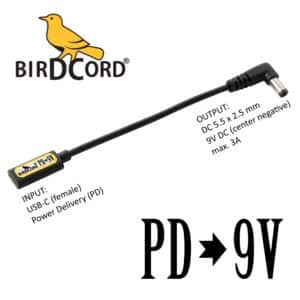
Supply voltage9 V DC
Current drawmax. 1.0 A
Power consumptionmax. 9 W
Connector5.5 x 2.1 mm
PolarityCenter negative
Power sourceUSB-C power bank*
Compatible power converterBirdcord PD 9V
StatusTested and verified

*Note: Use a USB-C power bank with USB Power Delivery (PD) and/or Quick Charge 4/4+ support. The power rating should be higher than the power consumption.

What You Need

Birdcord PD 9V – A compact USB-C power cable that requests 9 V output from a compatible USB-C power bank and delivers it to the BOSS RC-505 MKII. View product

USB-C Power Bank – A power bank that supports USB Power Delivery (PD) and/or Quick Charge 4/4+. A minimum rating of 18 W and 10,000 mAh is recommended. Recommended: INIU 65 W 20,000 mAh USB-C PD Power Bank

USB-C cable – To connect the power bank to the Birdcord PD 9V (usually included with the power bank). View product

How It Works

The BOSS RC-505 MKII requires a stable 9 V DC power supply. Since USB-C power banks don’t automatically provide the correct voltage, a Birdcord PD 9V is needed to communicate with the power bank and request the right output voltage. The power bank then provides 9V DC, allowing the BOSS RC-505 MKII to run directly from a portable battery.

Simply connect the Birdcord PD 9V to a USB-C PD power bank and plug the DC connector into the RC-505 MKII. The setup works exactly like using the original power adapter, but gives you the freedom to perform anywhere.

Frequently Asked Questions (FAQ)

How long can it run on a USB-C power bank?

With a standard 20,000 mAh (74 Wh) power bank, the BOSS RC-505 MKII will run for over 6.5 hours of continuous use.

I already have a power bank. Will it work?

Yes, as long as it supports 9 V output. You can easily check this by looking at the technical specifications printed in small letters on your power bank. If you see an output listing like 9V=2A, 9V=3A (or anything similar), it is compatible and will work perfectly. If it only lists 5V, it is not compatible.

Will this setup introduce any ground loop noise or hum?

No, quite the opposite! Since your BOSS RC-505 MKII is completely disconnected from the mains grid and runs on isolated battery power, you actually eliminate ground loop hum entirely. It is one of the quietest ways to power your rig.

Can I still use 48 V phantom power for my microphones?

Yes, the BOSS RC-505 MKII will still provide 48 V phantom power to your condenser microphones.

US Shipping Is Back — Finally a Clean, Reliable Solution

We’re happy to share an important update: we can now ship to the United States again.

After months of searching, we’ve partnered with a small freight-forwarding company in Germany. They handle the entire export and customs process for us. As soon as the shipment enters the US, USPS takes over for the final leg — straightforward and without extra paperwork on your side.

All orders to the US now arrive duty paid, so there are no unexpected fees when your package is delivered. The shipping price stays at €9.99.

For customers outside the US, nothing changes. All other international destinations continue as usual.

This new solution finally provides us with a reliable way to serve musicians in the US again, and we’re delighted to have it in place.

All the best,
Dieter / Songbird FX

SOCIAL MEDIA: Please follow our Instagram and tag us whenever you post about your #birdcord or #birdcordpd.

New U.S. Import Fees

Due to a new U.S. executive order, international shipments under $800 will no longer be duty-free starting August 29. For the first (up to) 6 months, U.S. customs will charge a flat $80 fee on many small parcels — including Birdcords. After that, a more reasonable 15% tariff is planned.

👉 So if you’re in the United States, now’s the time to act.

💡 WHAT CAN YOU DO:

➡️ Order before August 12 to ensure delivery before the new rules take effect.

➡️ Stock up now — this may be your last chance to get Birdcords without extra cost. Order here

🌍 OUTSIDE THE U.S.?

No worries — these changes only affect U.S. imports. Customers in the EU, UK, Switzerland, Asia, and elsewhere can continue ordering as usual with no added costs or delays.

One excemption: Norwegian customers will need to pay a handling fee (around €4) and a modest VAT (typically €1–€4) when receiving their order. 

It looks like Songbird FX is facing tough times. I hope it won’t be too bad — and I truly appreciate your continued support. Thank you!

All the best,
Dieter from Songbird FX

SOCIAL MEDIA: Please follow our Instagram  and tag us whenever you post about your #birdcord or #birdcordpd.

various retro game consoles with a portable birdcord voltage converter plus power bank in front sega mega drive 2 3 nintendo nes snes

How to Power Your Retro Gaming Consoles Anywhere

Playing classic games on original hardware is a nostalgic experience, but dealing with bulky, outdated power adapters can be frustrating. The Birdcord PD9V (USB PD Voltage Converter) is a modern, portable power solution for your Nintendo NES, SNES, and Sega Mega Drive 2 & 3, allowing you to power your consoles anywhere using a USB-PD charger or power bank.

Why Use Birdcord?

By switching to Birdcord, you can:

🧳 Power your console anywhere – at home, in a car, or outdoors with a power bank
❄️ Reduce overheating – a lower and more stable voltage prevents excess heat buildup and potential long-term damage to your console’s internal components
📺 Eliminate screen noise – clean power minimizes interference for better visuals
🔌 Get rid of bulky adapters – replace heavy, outdated power bricks with a compact USB solution
⏱️ Power your consoles for hours – the recommended 20.000mAh battery will last for more than 7 hours

What You Need

For Nintendo NES & SNES

✅ Birdcord PD ➔ 9V – A compact USB-C to 9V power cable that converts USB Power Delivery (PD) into the voltage your NES and SNES need.
✅ USB PD Power Bank – A power bank that supports the fast charging standard PD (=Power Delivery). Best choice: Baseus 65W 20000mAh PD
✅ USB-C cable – To connect the power bank to the Birdcord (usually included with the power bank)

Nintendo SNES Super Famicom powered via USB power bank using a birdcord pd9v a usb-c cable and a usb pd power bank. pd stands for power delivery.

For Sega Mega Drive 2 & 3

✅ Birdcord PD ➔ 9V – A compact USB-C to 9V power cable that converts USB Power Delivery (PD) into the voltage your NES and SNES need.
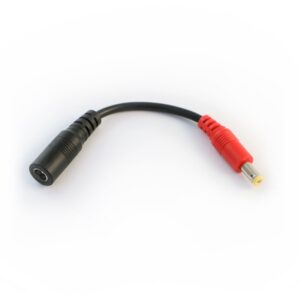
✅ 9V Korg/Casio Adapter Cable – Originally intended for Korg and Casio pianos, this little adapter cable fits perfectly into the DC jack of your Sega Mega Drive consoles to make it compatible with the Birdcord PD9V
✅ USB PD Power Bank – A power bank that supports the fast charging standard PD (=Power Delivery). Best choice: Baseus 65W 20000mAh PD
✅ USB-C cable – To connect the power bank to the Birdcord (usually included with the power bank)

sega mega drive 3 or genesis 3 powered via usb power delivery (pd) power bank. portable setup using birdcord voltage converter cables. pd9V

Get Your Birdcord Today!

Ditch outdated power bricks and upgrade to modern, portable power for your retro gaming setup. Order your Birdcord PD9V, 9V Korg/Casio Adapter Cable, and USB-C Cable now and play your favorite retro games anytime, anywhere!

Feel free to share and discuss this post with your gaming community and let me know if you have any questions (dieter@songbirdfx.com). Be part of the future of retro gaming power!

How to Power Pioneer DJ Toraiz SP-16 with a USB Power Bank

The Pioneer DJ Toraiz SP-16 is a powerful professional sampler and step sequencer, loved by producers and live performers alike. But like many high-end music devices, it typically requires a dedicated power adapter – which can be inconvenient when you’re on the go.

Luckily, there’s a simple way to power the Toraiz SP-16 from a USB power bank using the Birdcord PD ➔ 12V USB power cable and a 5mm Adapter from Songbird FX. Here’s how you can set up a portable and reliable power solution for your Toraiz SP-16.

Pioneer DJ Toraiz SP-16 USB Power PD Power Delivery Birdcord 12V Portable Battery Bank

What You Need

Birdcord PD ➔ 12V – A compact USB-C to 12V power cable that converts USB Power Delivery (PD) into the voltage your Toraiz SP-16 needs.
USB PD Power Bank – A power bank that supports 12V output via USB-C PD (minimum 36W). Best choice: Baseus 65W 20000mAh PD
5mm Adapter – To make the Birdcord fit into the Toraiz SP-16’s DC jack.
USB-C cable – To connect the power bank to the Birdcord (usually included with the power bank)

How to Set It Up

  1. Connect the Birdcord PD ➔ 12V to your USB PD power bank using a USB-C cable
  2. Attach the 5mm adapter to the Birdcord’s output plug
  3. Power up your Toraiz SP-16 – Switch on your Toraiz SP-16 and, if needed, push the power button on your power bank

Within seconds, your sampler is powered up and ready to go – no need for wall sockets!

Why This Setup Is a Game Changer

🔋 Portable & Stage-Ready – Perform anywhere without worrying about power outlets.
🔌 Clean Setup – No bulky power bricks, just a simple cable solution.
⏱️ Power for Hours – the recommended 20.000mAh battery will last for more than 4 hours
🌍 Great for Travel – Ideal for DJs and producers who need a lightweight and efficient power solution.

Get Yours Today!

The Birdcord PD ➔ 12V, the necessary 5mm Adapter, and a simple USB-C cable are all you need to power your Pioneer DJ Toraiz SP-16 from a USB power bank. Say goodbye to power limitations and take your sampler setup fully mobile!

If you have any questions, feel free to get in touch via email (dieter@songbirdfx.com) or Instagram.

Power Your Hologram Microcosm on the Go: A Complete Guide

The Hologram Microcosm effects pedal is celebrated for its ability to produce rich, dynamic soundscapes, but powering it on the go can be a challenge. With a USB PD power bank and a Birdcord PD9V USB power cable, you can create a reliable and portable power setup that frees you from traditional outlets.

This guide will walk you through setting up a portable power solution for your Microcosm pedal.

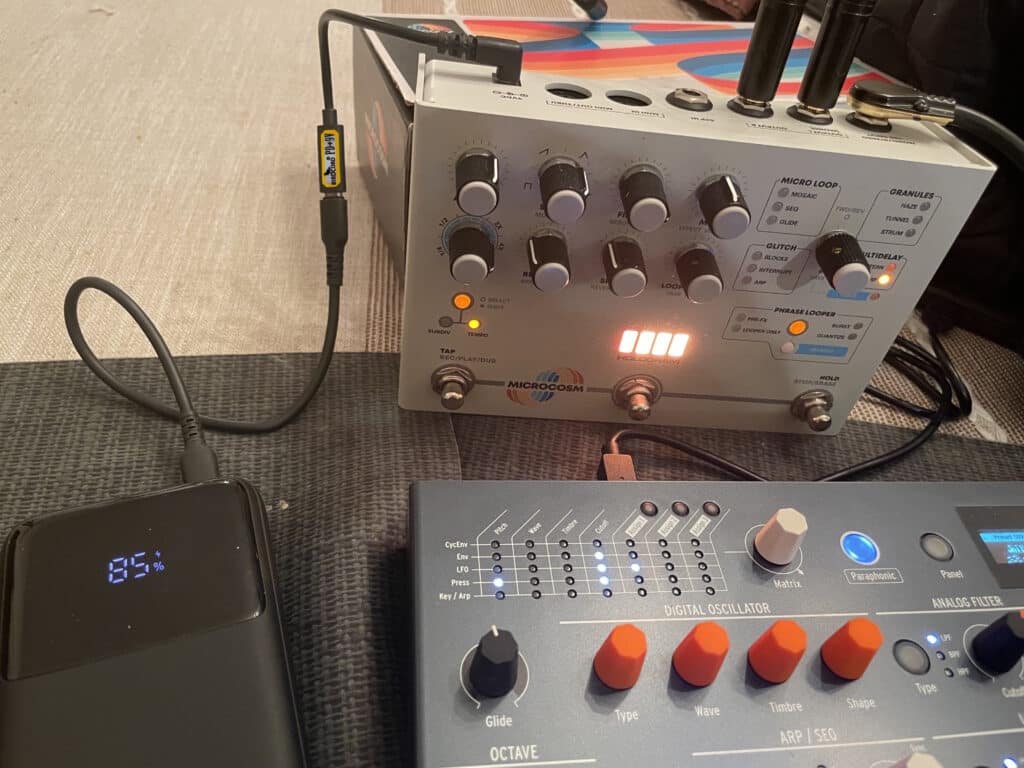
hologram microcosm effects pedal powered via usb power delivery thanks to birdcord pd 9v voltage converter cable
Mobile power setup in action: Powering the Microcosm pedal from a USB power bank.

What You’ll Need

  1. USB PD Power Bank
    Choose a USB power bank with Power Delivery (PD) functionality. Popular brands include INIU and Baseus.
  2. Birdcord PD9V (USB PD Voltage Converter)
    This specialized cable converts the USB PD output from your power bank into a stable 9V DC signal, compatible with effects pedals like the Microcosm.
  3. USB-C cable
    For connecting the Birdcord with the power bank. It’s usually included with the power bank.
  4. Hologram Microcosm Pedal
    Of course.

Step-by-Step Guide to Powering the Microcosm on the Go

  1. Connect Everything
    Connect the female USB-C end of the Birdcord with your power bank using a USB-C cable. Then connect the barrel plug end of the Birdcord with the Microcosm – Easy!
  2. Power On
    If it doesn’t turn on automatically, press the button on the power bank to switch it on.
  3. Play Your Music
    Now you can play your music for many hours.
  4. Power Off
    To power off, simply disconnect the Birdcord from the USB-C cable.

Why This Setup Is Perfect for the Hologram Microcosm

  • Portability: A USB PD battery allows you to use the Microcosm anywhere—on stage, in the studio, or outdoors.
  • Compatibility: The Birdcord PD9V cable is designed specifically to power effects pedals, ensuring stable and reliable operation.
  • Versatility: This setup powers not only the Microcosm but also other pedals with similar 9V DC requirements.

FAQs About Powering the Microcosm on the Go

  1. Can I use any USB power bank?
    No, the power bank must support USB PD.
  2. Is the Birdcord cable reliable?
    Yes, the Birdcord PD9V cable is specifically designed for effects pedals and delivers consistent, noise-free power.
  3. Does this setup work with other pedals?
    Yes, it’s compatible with most 9V DC pedals that use a center-negative configuration.
  4. How long will the battery last?
    A 10.000mAh USB PD power bank typically provides around 9 hours of portable power.

Conclusion

Powering your Hologram Microcosm on the go is easy and reliable with a USB PD power bank and a Birdcord PD9V cable. This setup provides a practical solution for musicians who want the flexibility of using a portable battery instead of being tied to traditional power outlets.

With this portable power option, you can focus on crafting the stunning soundscapes the Microcosm is known for—wherever inspiration strikes.

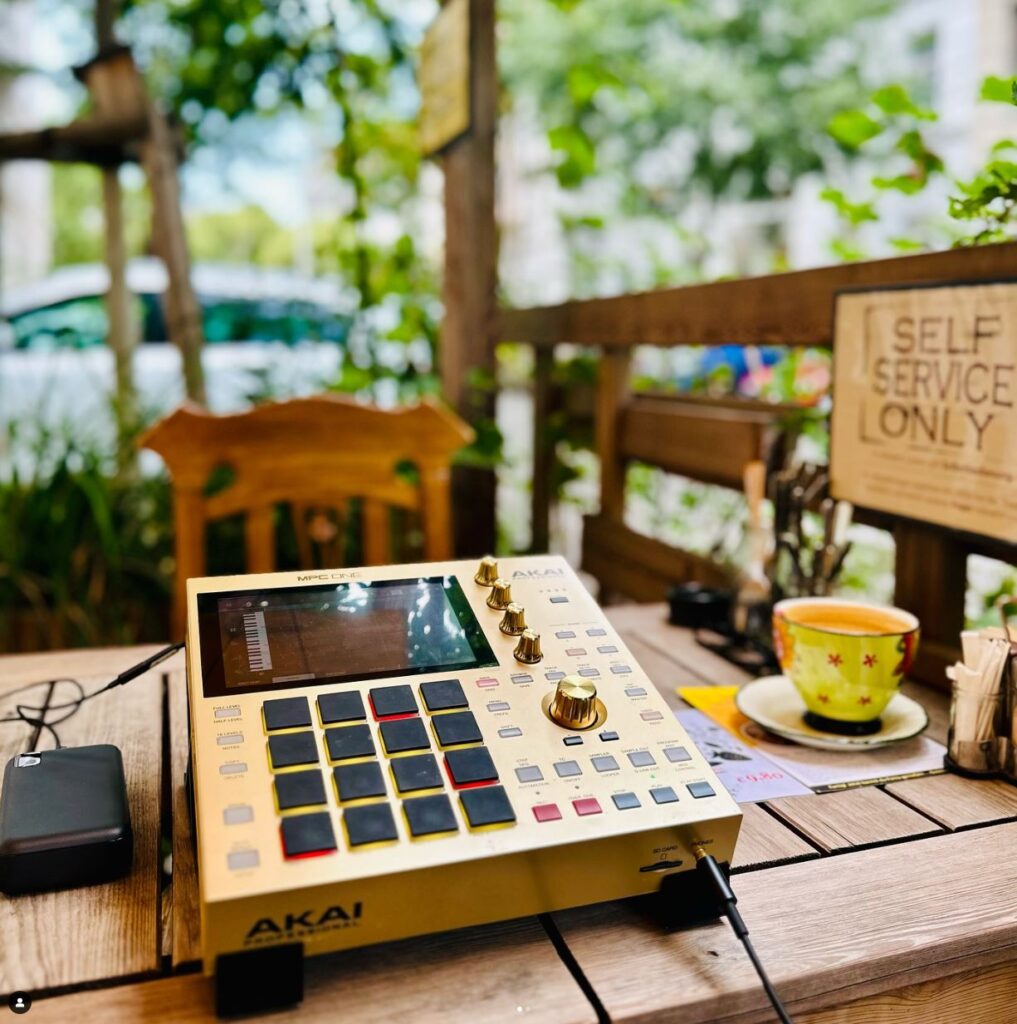
How To Power MPC One From Portable USB Batteries

Playing music on the go is great, regardless of whether it’s in the park, on the train, or at the beach. You never know when creativity will strike. Unfortunately, your favorite MIDI sequencer is very power-hungry so is it even possible to portably power it without carrying a huge battery around?

The short answer is yes, you can portably power your Akai MPC One. The most practical and affordable way is to use portable PD chargers (also called USB-C PD power banks or USB-C PD portable batteries). PD stands for “Power Delivery” which is a new fast-charging standard for smartphones and laptops. But how can you utilize these powerful batteries to power your MPC One?

How to power the MPC One from portable USB-C PD power banks?

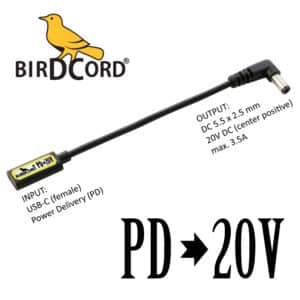
This is where our new product comes into play: The Birdcord PD 20V power cable allows you to connect a USB-C PD power bank to your MPC One and it also tells the power bank to switch to 20V. This method gives you 65 Watts of power (3.25A@20V) so you can easily power your MPC One.

What do you need to make it work?

How long does the battery last?

From experience, the recommended Baseus 65W 20000mAh PD battery will last more than 5 hours powering the MPC One.

Important additional info:

If you want to power the MPC One+ (MPC One Plus) you need a different Birdcord, the Birdcord PD 12V. Other than that it’s just as simple as described above.

If you have any questions, feel free to get in touch via email (dieter@songbirdfx.com) or Instagram.

How to Power MASCHINE+ with a USB-C Power Bank

Playing music on the go is great, regardless of whether it’s in the park, on the train, or at the beach. You never know when creativity will strike. Unfortunately, your favorite stand-alone groove box is very power-hungry so is it even possible to portably power it without carrying a huge battery around?

The short answer is yes, you can portably power the Native Instruments MASCHINE+. The most practical and affordable way is to use portable PD chargers (also called USB-C PD power banks). PD stands for “Power Delivery” which is a fast-charging standard for smartphones and laptops. But how can you utilize these powerful batteries to power your “Maschine Plus”?

How to power Native Instruments MASCHINE+ from portable USB-C PD power banks?

This is where our new product comes into play: The Birdcord PD 15V power cable allows you to connect a USB-C PD power bank to your Maschine+ and it also tells the power bank to switch to 15V. This method gives you 45 Watts of power (3A@15V) so you can easily power your Maschine+.

Quick Facts: Elektron Digitakt II Mobile Setup

DeviceNative Instruments MASCHINE+
Supply voltage15 V DC
Current drawmax. 2.66 A
Power consumptionmax. 40 W
Connector5.5 x 2.5 mm
PolarityCenter positive
Power sourceUSB-C power bank*
Compatible power converterBirdcord PD 15V
StatusTested and verified

*Note: Requires a USB-C power bank with USB Power Delivery (PD) support. The power rating should be higher than the power consumption.

What You Need

Birdcord PD 15V – A compact USB-C power cable that requests 15 V output from a compatible USB-C power bank and delivers it to the Native Instruments MASCHINE+. View product

USB-C Power Bank – A power bank that supports USB Power Delivery (PD). A minimum rating of 45 W and 20,000 mAh is recommended. Recommended: INIU 65 W 20,000 mAh USB-C PD Power Bank

USB-C cable – To connect the power bank to the Birdcord PD 15V (usually included with the power bank). View product

Frequently Asked Questions (FAQ)

How long can the Native Instruments MASCHINE+ run on a USB-C power bank?

From experience, a 20,000 mAh battery will last 8 to 9 hours powering the Maschine+.

I already have a power bank. Will it work?

Yes, if it supports USB Power Delivery (PD) and is rated 45W or higher.

If you have any questions, feel free to get in touch via email (dieter@songbirdfx.com) or Instagram.

(Post updated on July 24th, 2026)